DrawArp
An arpeggiator Audio Plugin
* Available on Windows only. Try before you buy.
* Your transaction is handled entirely through Gumroad’s trusted payment system.
- 16-Step Grid to draw arp note intervals
- Random pattern generator with scale and octave selections
- Step Recording
- Bi-Directional Play: Flip patterns with the Reverse toggle.
Getting Started
DrawArp is a MIDI Effect. It does not generate sound on its own. In your DAW, place DraqArp before a synthesizer or sampler. It will intercept your held notes and play them back according to your drawn pattern.
The Layout
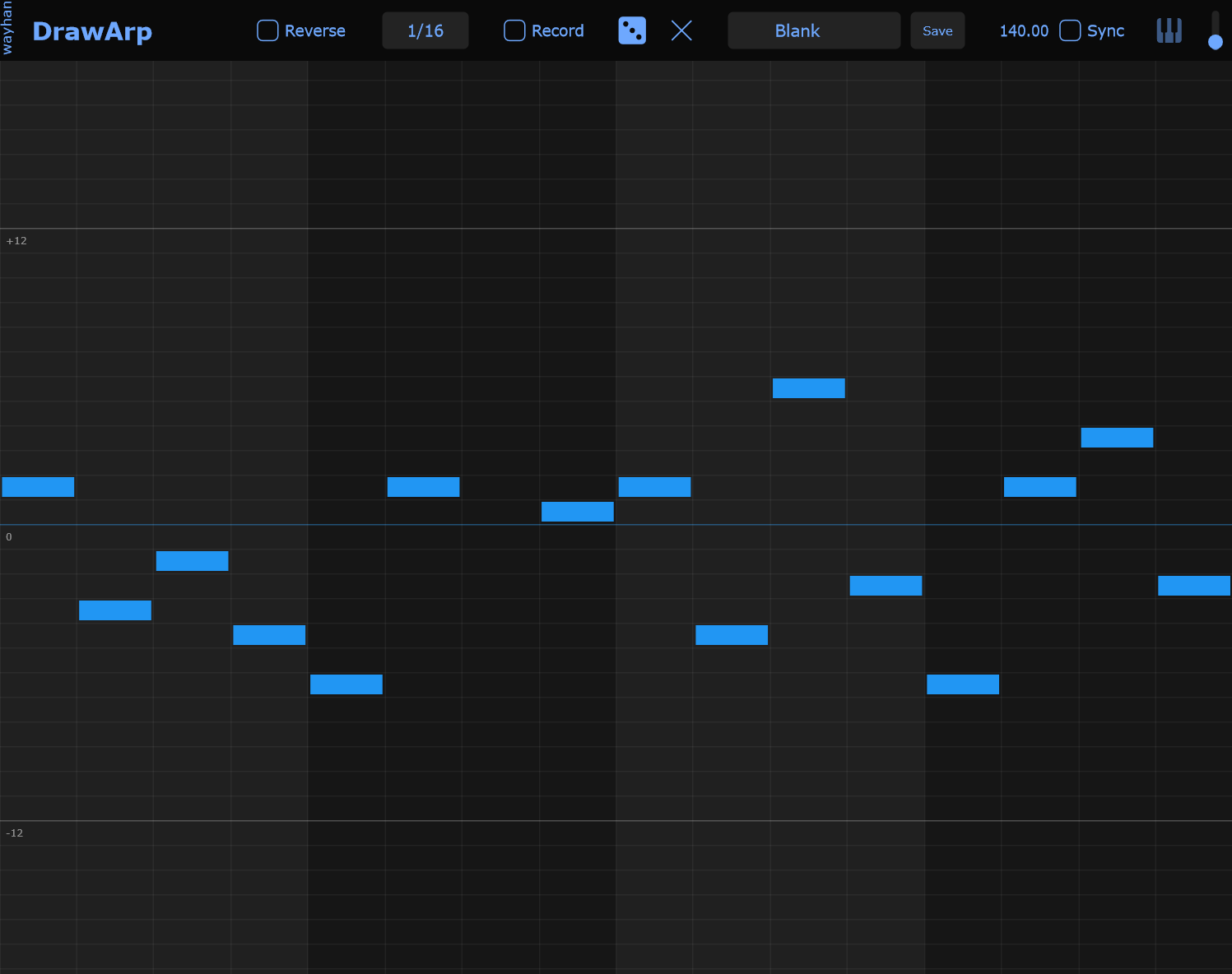
The vertical axis represents 60 semitones. The Center Row is your "Unison" line—it plays the exact note you are holding. Drawing above this line creates higher intervals; drawing below creates lower ones.
Drawing
Click a slot or drag your mouse across the grid to toggle a note.
The vertical axis represents semitones, and the horizontal axis represents time steps.
Arp Length / Speed
The division setting determines how fast the playhead moves across your 16-step pattern. Changing this setting does not affect your drawn notes, only their playback speed.
| Setting | Active Steps | Musical Outcome |
|---|---|---|
| 1/4 | Steps 0 - 3 | One note per beat. Loops the first 4 steps 4x per bar. |
| 1/8 | Steps 0 - 7 | Two notes per beat. Loops the first 8 steps 2x per bar. |
| 1/16 | Steps 0 - 15 | Four notes per beat. Plays the full pattern once per bar. |
| 1/32 | Steps 0 - 15 | Eight notes per beat. Plays the full pattern twice per bar. |
Step Recording
Enable the Record button.
Play a note on your MIDI keyboard. This first note sets the "Root" (Center).
Continue playing notes. Each subsequent note will calculate its distance from the root and fill the next available step.
Musical Randomization
Click Random button (dice) to generate an arp pattern instantly.
By right-clicking the Random button, you can constrain the generator to over 20 specific musical scales and adjust the octave spread.
Clear: Wipes the entire grid for a fresh start.
Play direction
Toggle the reverse button to change the pattern playing direction - forward/reverse.